

The ADX Firefight MK02 RGB Mechanical Gaming Keyboard is sold in PC World / Currys. It provides a number of light modes but these aren’t explained very well in the documentation. Here is a list of the available light modes to help you configure your keyboard.
I purchased this keyboard as I wanted key illumination. It seemed to be a sensible price for a keyboard with a number of lighting options and a bit of customisation. My main use for it is typing and productivity tasks rather than gaming and I’m happy with it so far.
MK02 Specifications
- Model AFXMK0217 / ADXMK0217
- Dimensions : 148 x 450 x 40 mm (221 x 450 x 40 mm with wrist rest)
- Net Weight 1.25kg (1.36kg with wrist rest)
ADX MK02 Gaming Keyboard User Manual
The official user manual is available from the TeamKnowHow support site :
ADX MK02 RGB Mechanial Gaming Keyboard User Manual
User Manual Summary
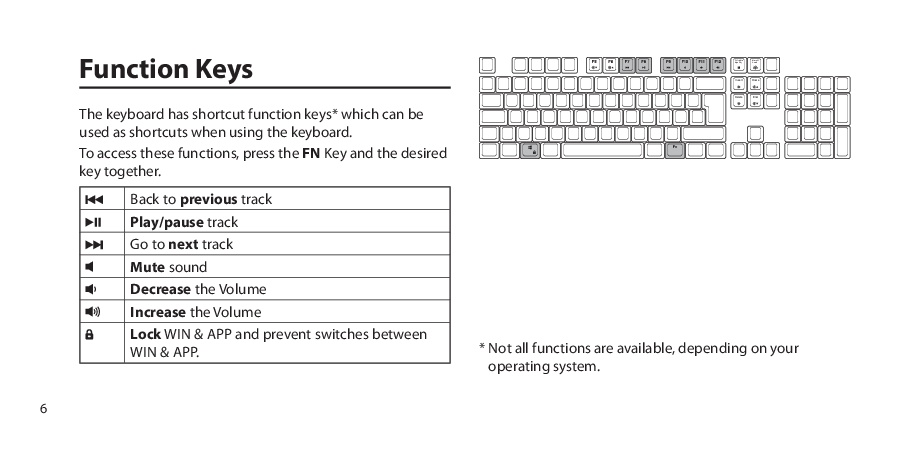
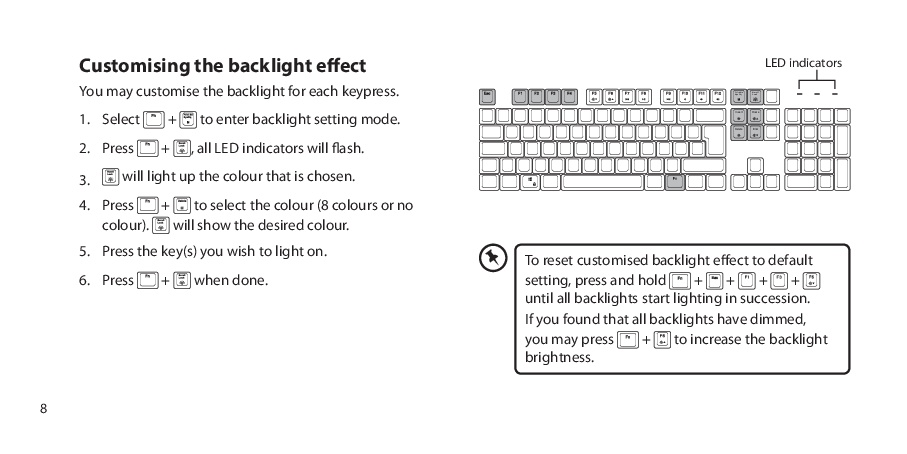
The interesting bits from the user manual are :
ADX MK02 Gaming Keyboard Light modes
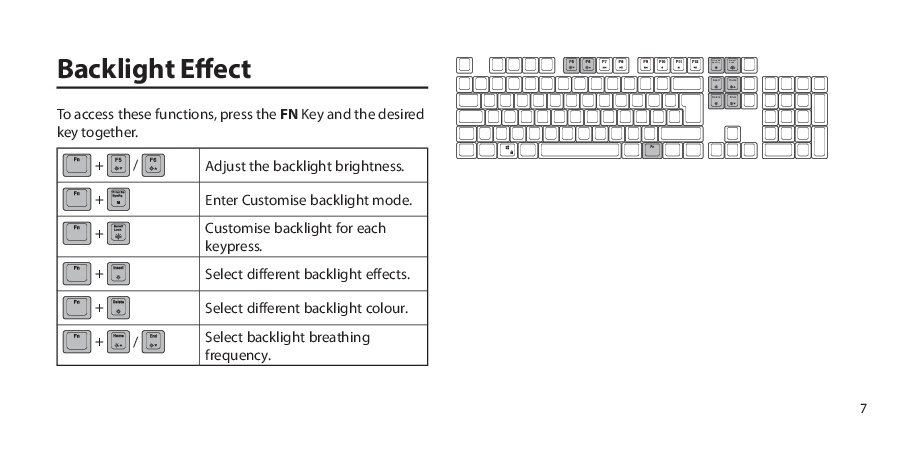
To set one of the preset RGB lighting modes press [Fn]+[Insert].
The preset back-light effects will cycle through the sequence shown below :
| # | Mode | Description |
|---|---|---|
| 1 | Off | No lights |
| 2 | Side Fade | All keys fade on/off left to right. |
| 3 | Row fade | Each line has a different colour and the colour moves from top to bottom |
| 4 | Single Key | All keys off. Pressing key lights up and slowly fades off. |
| 5 | Single Colour | Whole keyboard fades in and out. |
| 6 | Whole Keyboard Colour Fade | Whole keyboard slowly fades between the colours. |
| 7 | Single Key Burst | All keys off. Pressing a key sends out a burst across whole keyboard. |
| 8 | Permanently on | All keys are illuminated with single colour |
| 9 | Rainbow Keys | All keys lit up in random colours. Colours slowly cycle. |
| 10 | Line burst | All keys off. Pressing key lights up keys in the same row with a single colour. |
| 11 | Random one colour | All keys quickly randomly fade in and out with a single colour. |
[Fn]+[Delete] will change the colour for some of the modes. For example in mode 2 pressing [Fn]+[Delete] will allow you to choice the colour that is used for the left-to-right fade.
Some of the effects are very similar so you might need to run through the sequence on your keyboard to find your place in the sequence.
Note: The “ADX” brand appears to be a renamed version of “AFX”. As far as I can tell the “AFX MK02” is the same keyboard as the “ADX MK02”.