Close Menu
    Facebook X (Twitter) Instagram
    Trending
    • SharePoint Internal Column Name Encoded Character List
    • Satchel Pelts List for Red Dead Redemption 2
    • Create a Video Wall With FFmpeg
    • Mitsubishi Outlander Towbar Electrics
    • Mitsubishi Outlander Towbar Installation
    • Telephone Block List
    • Hard Drive Repair After Wrong Voltage Mishap
    • How To Send Excel Workbook As Email Using Button
    YouTube Instagram Facebook RSS
    Technology Spy
    • Tutorials & Help
    • Reviews
    Technology Spy
    You are at:Home»General»ASUS M5A97 and Coolermaster Hyper 212 EVO PC Build
    ASUS M5A97 Coolermaster 212

    ASUS M5A97 and Coolermaster Hyper 212 EVO PC Build

    3
    By Matt on September 2, 2014 General

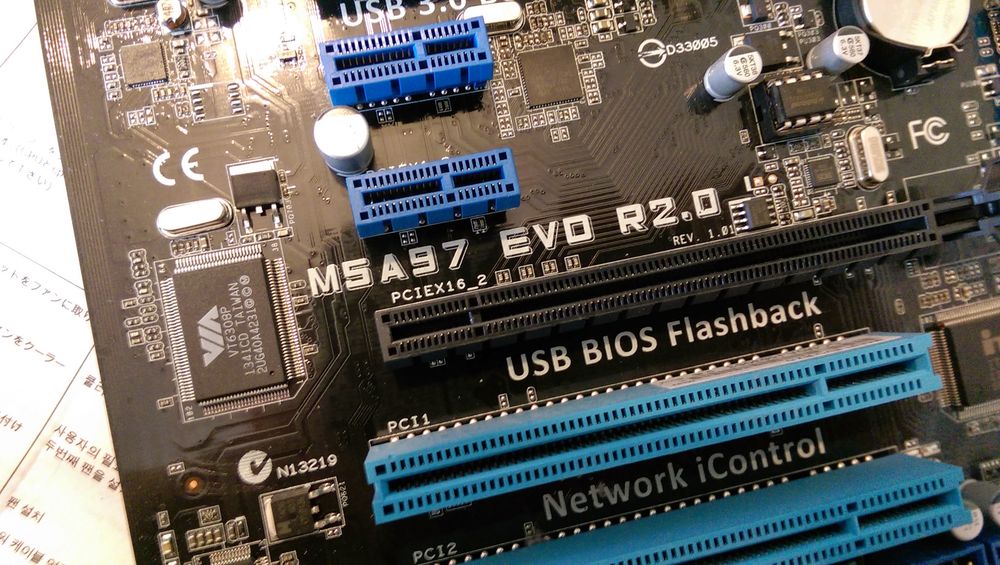
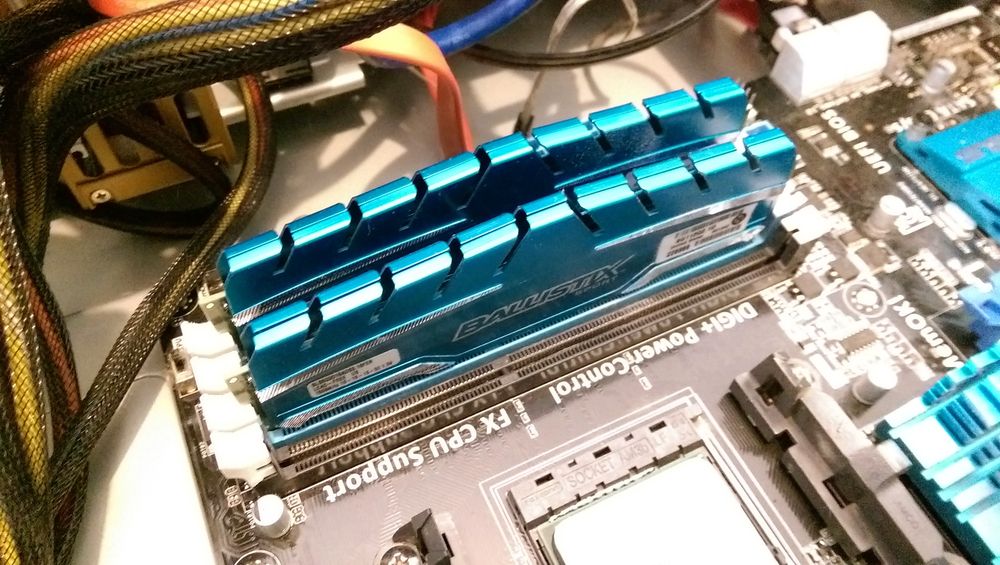
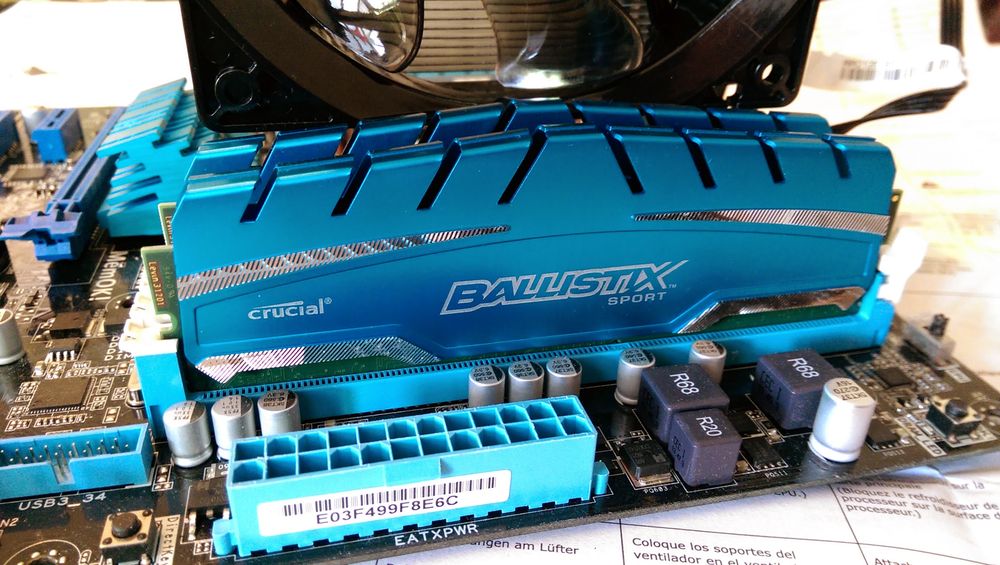
    In my recent PC build I chose an ASUS M5A97 EVO R2.0 motherboard, an AMD FX8350 and some Crucial Ballistix RAM. To keep the CPU cool I also purchased a CoolerMaster Hyper T4 air cooler. This turned out to be a mistake as the heat-sink and fan clashed with the RAM. So I looked for a replacement as the AMD stock fan was struggling to keep the system cool on warm days.

    The T4 had seemed like a good choice as it was specific to the AMD socket my motherboard had and fitting it was going to be quick and easy. This would have worked out ok but it clashed with the raised metalwork on the RAM modules. The T4 can only be mounted in one orientation so I had no other option than to fit the stock cooler that came with the CPU to get the system running. This worked fine initially but once the weather got hotter the fan struggled. The PC worked but the popup +65 degree warnings in Windows worried me slightly.
    ASUS M5A97 Coolermaster 212

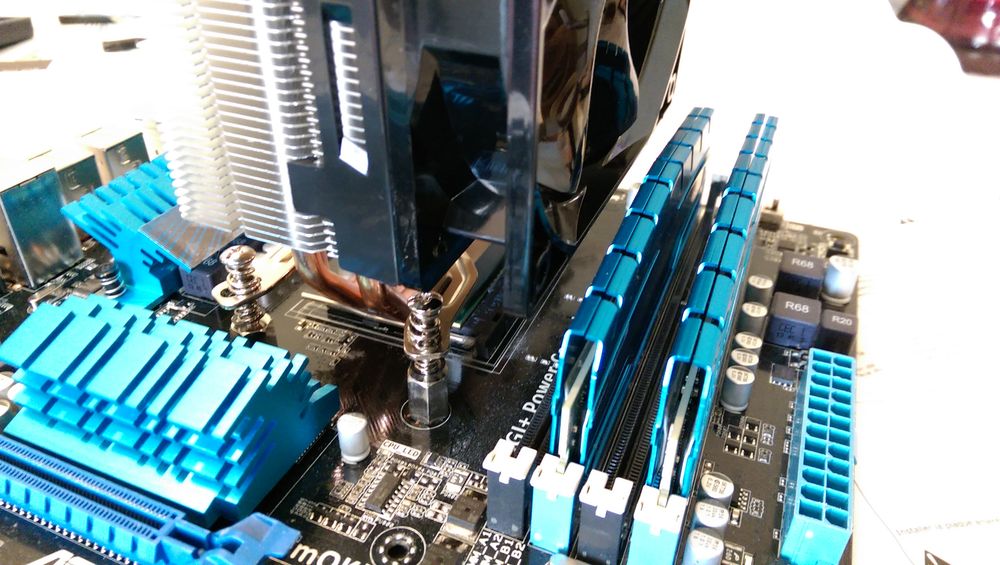
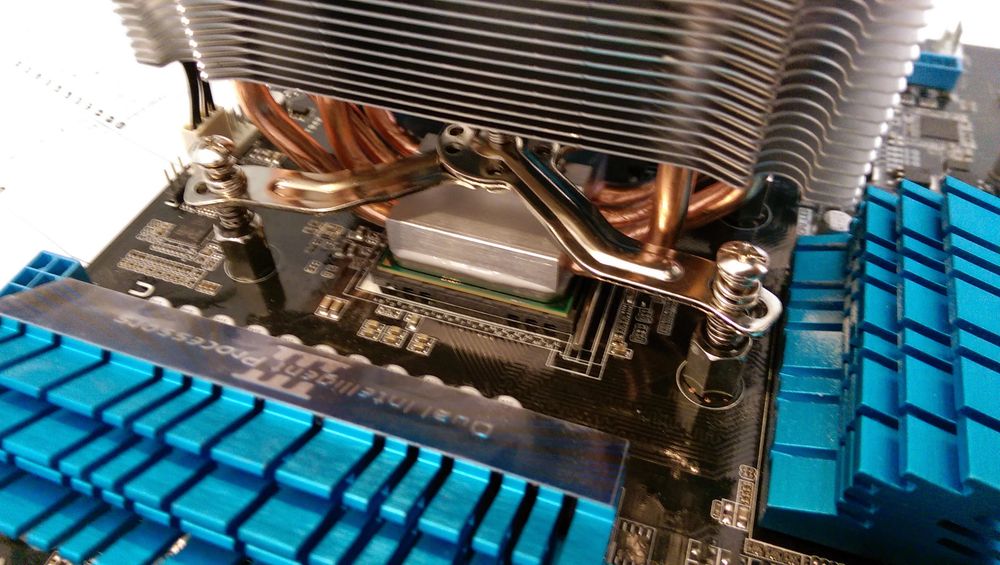
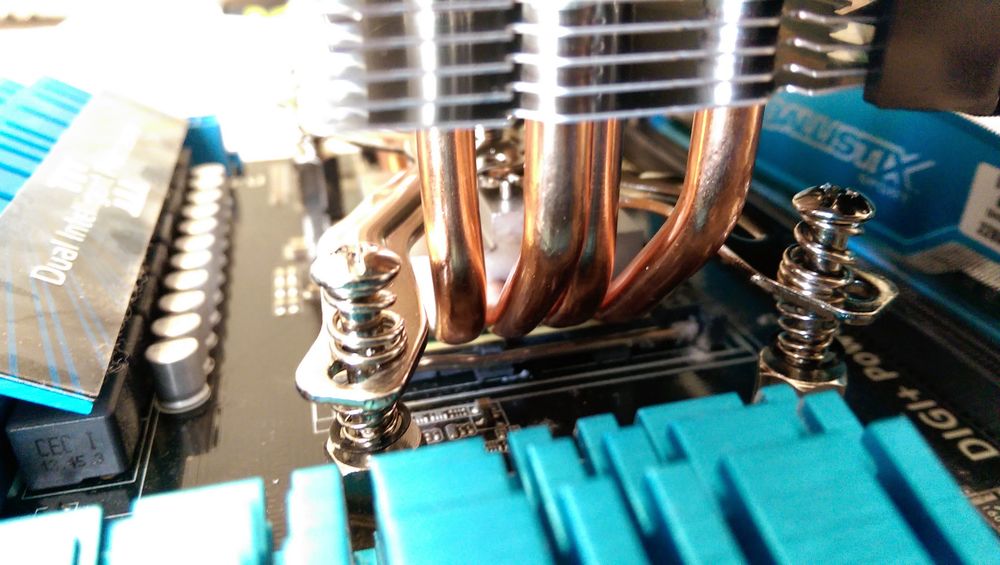
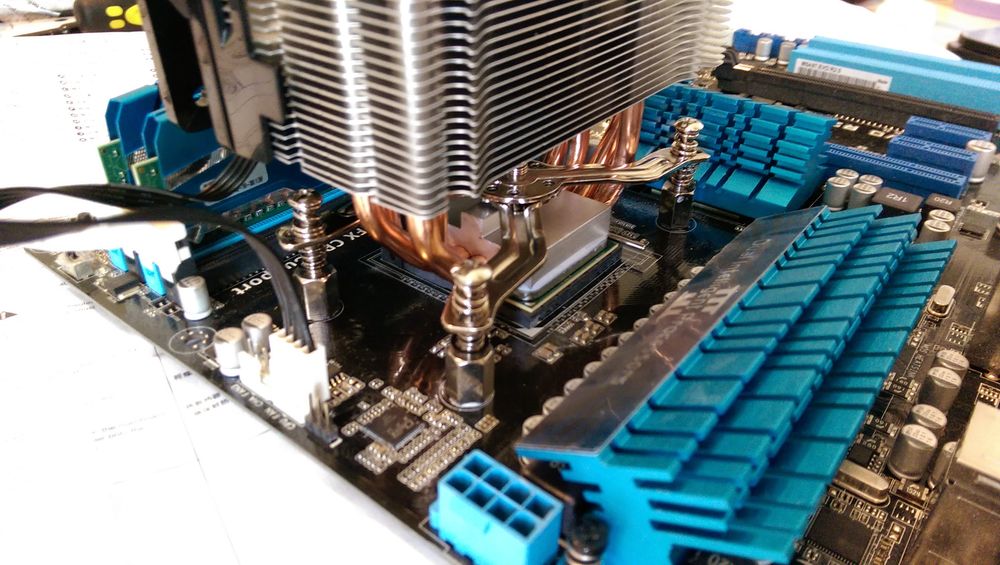
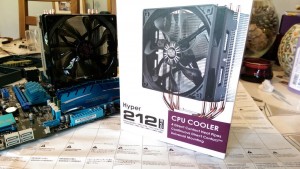
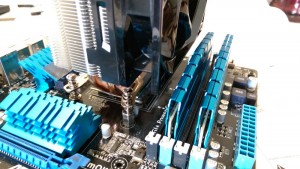
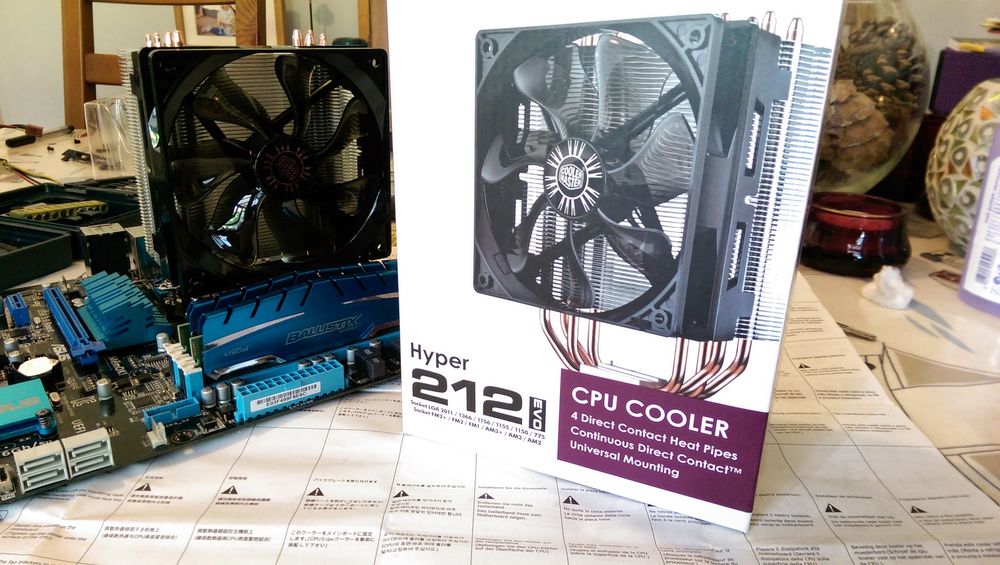
    Eventually I ordered a CoolerMaster Hyper 212 Evo heatsink and fan. It looks and feels very similar but comes with multiple mounting options for both AMD and Intel CPU sockets and can also be mounted in different orientations. The only downside is that you have to remove the existing plastic brackets from the motherboard and fit a replacement metal bracket. The 212 then bolts onto this new bracket.
    ASUS M5A97 Coolermaster 212

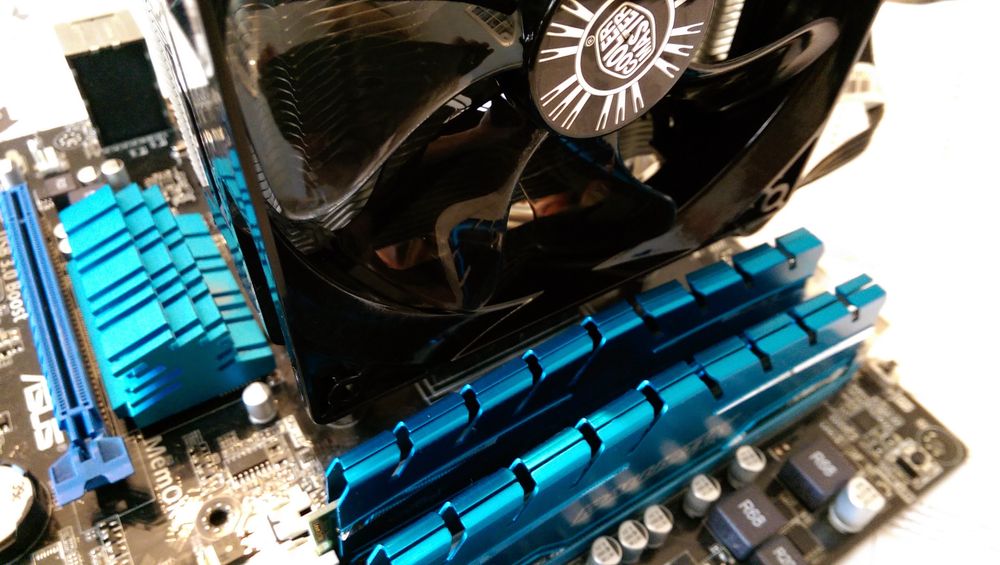
    It meant I had to remove the motherboard from the case but fitting the cooler was easy. As you can see from the photos the whole thing fits nicely and clears the RAM.

    Although it means I’ve got a brand new T4 sitting in the garage I’m happier now that my PC is quieter and I don’t have to leave the window open in my study in a desperate attempt to lower the temperature.

    I’m not one for spending time logging CPU temperatures so I’ve got no fancy graphs to show. I don’t get any 65 degree warnings and that’s good enough for me!

    Overall I think the CoolerMaster Hyper 212 Evo is a fair price a product that does exactly what you need it to do. The only other thing to watch out for is the height. It is quite tall and I only have 10mm between the copper tip and the side of my case.

    Checkout the official specifications on the CoolerMaster product page.

    Buy CoolerMaster CPU Coolers

    There are a range of CoolerMaster Coolers on Amazon [Affiliate Link].

    Buy an ASUS PC Motherboard

    There are a range of ASUS Motherboards on Amazon [Affiliate Link].

    PC Build Photos

    Here are some photos of my PC build:
    ASUS M5A97 Coolermaster 212
    ASUS M5A97 Coolermaster 212
    ASUS M5A97 Coolermaster 212
    ASUS M5A97 Coolermaster 212
    ASUS M5A97 Coolermaster 212
    ASUS M5A97 Coolermaster 212
    ASUS M5A97 Coolermaster 212
    ASUS M5A97 Coolermaster 212
    ASUS M5A97 Coolermaster 212

    Some of the product links in this post are affiliate links. I receive a small commission based on purchases made via these links. The price you pay is the same.

    Share. Facebook Twitter Pinterest LinkedIn Tumblr Email
    Previous ArticleCreate Intel XDK App Launch Icons with GIMP Script
    Next Article How To Insert Rollup Images Into SharePoint XSLT

    Related Posts

    Hard Drive Repair After Wrong Voltage Mishap

    How To Send Excel Workbook As Email Using Button

    Compare EV Chargers

    3 Comments

    1. Marc Brooks on October 7, 2014 5:55 pm

      Thanks for this post. I’ve got the same motherboard and it’s not easy trying to pick a fan that will fit. I’ve had Coolermaster products in the past and they are usually good value for money.

      Reply
    2. Pablo on April 20, 2015 4:16 pm

      Hello! I have the same MB and bought the same CoolerMaster heatsink and fan, but I ran into a trouble: I cannot remove the existing plastic bracket! The screws are extremely tight. Am I doing something wrong? How did you remove it? Thanks in advance!

      Reply
    3. nick on July 7, 2015 3:13 am

      I am having a similar issue but i can’t figure out what kind of plastic back plate i need to buy, can post a link to what you bought or post what the thread size is?

      thanks

      Reply
    Leave A Reply Cancel Reply

    This site uses Akismet to reduce spam. Learn how your comment data is processed.

    109

    Recent Posts
    May 1, 2025

    SharePoint Internal Column Name Encoded Character List

    March 24, 2025

    Satchel Pelts List for Red Dead Redemption 2

    January 29, 2025

    Create a Video Wall With FFmpeg

    Categories
    • 3D Printing
    • Android
    • Arduino
    • Development
    • ESP8266
    • Excel
    • Gaming
    • General
    • GIMP
    • Home Automation
    • JavaScript
    • Linux
    • Microsoft Office
    • Mobile Devices
    • Oracle APEX
    • Python
    • Raspberry Pi
    • Reviews
    • Security
    • SharePoint
    • Tutorials & Help
    • VBScript
    Web Tools

    A set of quick and basic online tools for web designers and software developers :

    • Hash Generator
    • Text to HTML List
    • Text to HTML Table
    • URL Encoder and Decoder
    • UNIX Timestamp Calculator
    • LED Resistor Calculator
    • Extract Email from Text
    • Mortgage Calculator
    Tags
    Android APEX Apple Arduino Black Friday Coolermaster csv Elite Dangerous email ESP-01 ESP8266 EV Excel file handling Format gaming GIMP Gritin Home Assistant Home Automation Linux lists Media os.stat os.walk Outlander Power Python Qi RDR2 Review scam Security SharePoint 2010 string Syncwire text text files TrueCrypt Ubuntu USB-C VBA VBscript Windows 10 Xbox One
    About

    Welcome to Technology Spy, a site devoted to gadgets, computers, programming and all things technology! You’ll also find product reviews for items I own as well as tutorials, guides and scripts for the software I use.

    Archives
    Other Resources
    • MattsBits
    • Raspberry Pi Spy
    YouTube Facebook Instagram Pinterest RSS

    Entries RSS | Comments RSS

    Copyright © 2025 - All Rights Reserved - Matt Hawkins

    mastodon.social@MattHawkins

    Type above and press Enter to search. Press Esc to cancel.